Send once. Publish everywhere.
Run parallel uploads to multiple services, use several accounts, or connect your own FTP, SFTP, or WebDAV destination.
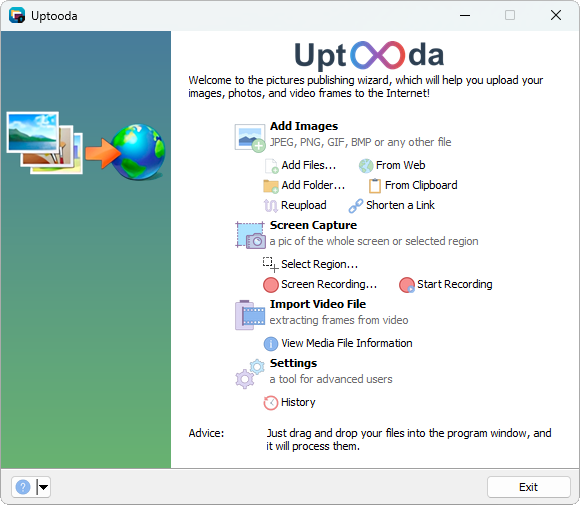
Uptooda combines screen capture, quick editing, screen recording, and multi-service uploads in one focused desktop tool.
One app. The whole visual workflow.
A shorter path from idea to link
Stop bouncing between capture tools, image editors, browser tabs, and upload forms. Uptooda keeps the essential steps together.
Grab the full screen, active window, selected area, freeform region, or a specific interface element.
Crop, annotate, highlight, blur sensitive details, add text, arrows, shapes, and numbered steps.
Upload to hosting services or your own server, then copy direct links or ready-made embed code.
More than a screenshot tool
Run parallel uploads to multiple services, use several accounts, or connect your own FTP, SFTP, or WebDAV destination.
Record H.264 video with audio, or connect FFmpeg when you need broader format control.
Extract frames from video and upload them separately or combine them into a single mosaic.
Use hotkeys, drag and drop, the clipboard, or Windows Explorer’s context menu. Uptooda gets out of your way.
Automation-ready
uptooda-cli is a cross-platform console utility for uploading images and files to more than 30 hosting services. It runs on Windows 7+ and Linux (Ubuntu 20.04+), making it a natural fit for scripts, build jobs, and repeatable publishing workflows.
Actual interface
Current interface previews, from everyday uploads to precise visual annotation. Click any screenshot to open a larger view.
Make sharing the easy part
Free, open source, and multilingual: a polished desktop app for Windows plus a scriptable CLI for Windows and Linux.
winget install Uptooda